

At ZipLocal, we talk to home service business owners like you every day. You have great services, skilled technicians, and happy clients. But the big question is: are potential customers finding you easily when they search online?
If your website isn’t working as hard as you are to bring in new business, the answer might be hidden in a surprisingly powerful tool: your internal linking structure.
Internal linking is much more than just adding a few links here and there. It’s a strategic way to connect the pages on your website that boosts your Search Engine Optimization (SEO) and makes it easier for visitors to find what they need. For plumbers, electricians, HVAC specialists, and landscapers, a smart internal linking strategy can be a complete game-changer.
This guide will walk you through everything you need to know about leveraging internal links to improve your website’s performance, attract more qualified leads, and ultimately, grow your home service business.
What is Internal Linking and Why Does It Matter for Home Service Businesses?
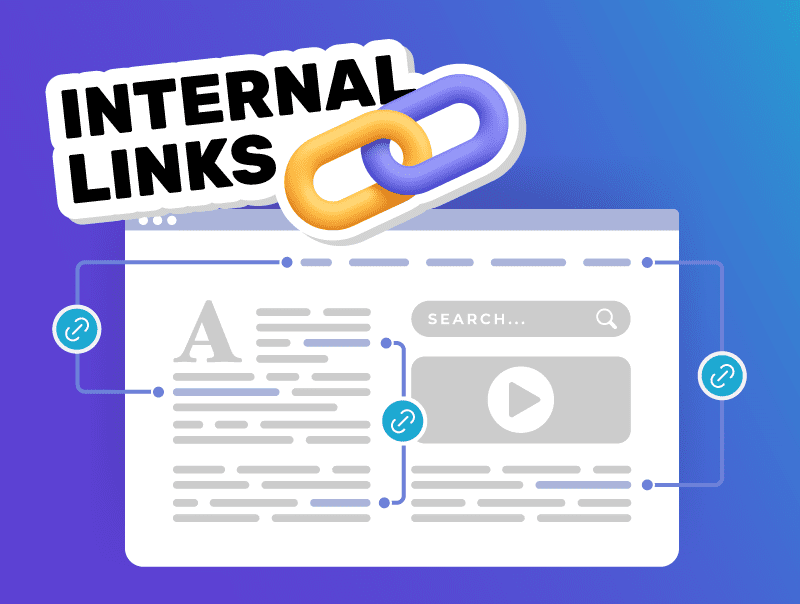
Simply put, an internal link is a hyperlink that points from one page on your website to another page on the same website. For example, a link from your blog post about “Signs Your Air Conditioner is Failing” to your “Air Conditioner Repair Services” page is an internal link. While it sounds basic, a well-thought-out internal linking structure offers substantial benefits:- Distributes Page Authority (Link Equity): Search engines like Google see links as votes of confidence. When your authoritative pages (those with more “votes,” perhaps from external links or high traffic) link to other pages on your site, they pass some of that authority, or “link equity,” along. This can help newer or less visible pages rank higher in search results.
- Improves Crawlability and Indexation: Search engine bots “crawl” websites by following links to discover and index content. A strong internal linking network makes it easier for these bots to find all the pages on your site, ensuring your valuable service pages and blog posts get indexed and have a chance to appear in search results.
- Helps Search Engines Understand Your Site: Internal links, especially when using descriptive anchor text (the clickable text of a link), provide context to search engines about what your pages are about and how they relate to each other. This helps them understand your expertise on specific topics.
- Enhances User Experience and Navigation: Good internal linking guides your website visitors on a logical journey. It helps them easily find related information, explore your services more deeply, and ultimately, contact you for a quote or service. This improved user engagement can lead to higher conversion rates.
Specifically for Home Service Websites
Home service websites often have multiple pages detailing various services (e.g., “emergency plumbing,” “drain cleaning,” “water heater installation”) and may also serve different geographic locations. Internal linking is crucial for:- Connecting Related Services: Strategically linking your “Furnace Repair” page to your “Furnace Maintenance” page.
- Bridging Informational Content to Service Pages: A blog post on “Top 5 Kitchen Renovation Ideas” can link directly to your “Kitchen Remodeling Services” page.
- Highlighting Service Areas: Linking your main service pages to specific location pages (e.g., “Electrician Services in Downtown Anytown”).
Best Practices for a Powerful Internal Linking Strategy
Ready to harness the power of internal links? Here are key best practices:- Plan Your Website Structure: Before you start linking, think about your website’s hierarchy. A logical structure, often resembling a pyramid with your homepage at the top, followed by main service categories, and then specific service or content pages, helps both users and search engines navigate effectively.
- Identify Pillar Pages and Create Topic Clusters: This is a highly effective content strategy.
- Pillar Pages: These are comprehensive, authoritative pages covering a broad topic relevant to your services (e.g., “A Complete Guide to Residential Plumbing,” “Your Go-To Resource for HVAC Systems”).
- Cluster Content: These are more specific articles or pages that delve into subtopics related to the pillar page (e.g., for a plumbing pillar, clusters could be “Fixing Leaky Faucets,” “Understanding Sump Pumps,” “Benefits of Tankless Water Heaters”).
- Linking Strategy: Your pillar page should link out to all its cluster content pages. In turn, each cluster page should link back to the main pillar page and, where relevant, to other related cluster pages. This creates a powerful signal of topical authority.
- Use Descriptive, Relevant Anchor Text: Anchor text is the visible, clickable text in a hyperlink. It’s crucial for both users and SEO.
- Be Descriptive: Instead of “click here” or “read more,” use anchor text that clearly indicates what the linked page is about (e.g., “learn more about our emergency AC repair services”).
- Be Relevant: The anchor text should accurately reflect the content of the destination page.
- Be Concise but Informative: While descriptive, keep it reasonably short.
- Natural Language: Aim for natural-sounding phrases rather than stuffing keywords awkwardly into the anchor text.
- Link to and From Content-Heavy Pages (Deep Linking): While your main navigation (header, footer, sidebar links) handles links to top-level pages, don’t forget to link between your detailed blog posts, service descriptions, and case studies. This spreads link equity deeper into your site.
- Maintain an Appropriate Number of Links:There’s no magic number, but avoid “link stuffing” – adding too many internal links to a single page can look spammy and dilute the value of each link. A general guideline might be 5-10 relevant internal links per 2,000 words of content, but always prioritize user experience and relevance.
- Update Old Content with New Links: Your internal linking strategy is ongoing. When you publish a new blog post or service page, go back to relevant older content and add links to your new page. This helps search engines discover your new content faster and passes authority to it.
Common Internal Linking Mistakes to Avoid (and How to Fix Them)
Steering clear of common pitfalls can make your internal linking efforts much more effective:- Broken Links: Linking to pages that no longer exist (giving a 404 error) creates a terrible user experience and wastes link equity.
- Fix: Regularly audit your website for broken links using tools like Google Search Console or other SEO auditing software and either remove the link or update it to a relevant, live page.
- Linking to Irrelevant Pages: Every link should be contextually relevant to the source page and valuable to the user.a terrible user experience and wastes link equity.
- Fix: Ensure the destination page logically follows from the anchor text and surrounding content.
- Using Generic Anchor Text: Phrases like “click here” provide no SEO value and little information to users.
- Fix: Always opt for descriptive anchor text as discussed earlier.
- Excessive Linking (Link Stuffing): Too many links on a page can overwhelm users and be flagged by search engines.
- Fix: Prioritize quality over quantity. Only include links that add genuine value.
- Redirect Chains: Linking to a page that then redirects to another, which might redirect again, slows down users and search engine crawlers.
- Fix: Link directly to the final destination page whenever possible. Audit for and minimize redirect chains.