
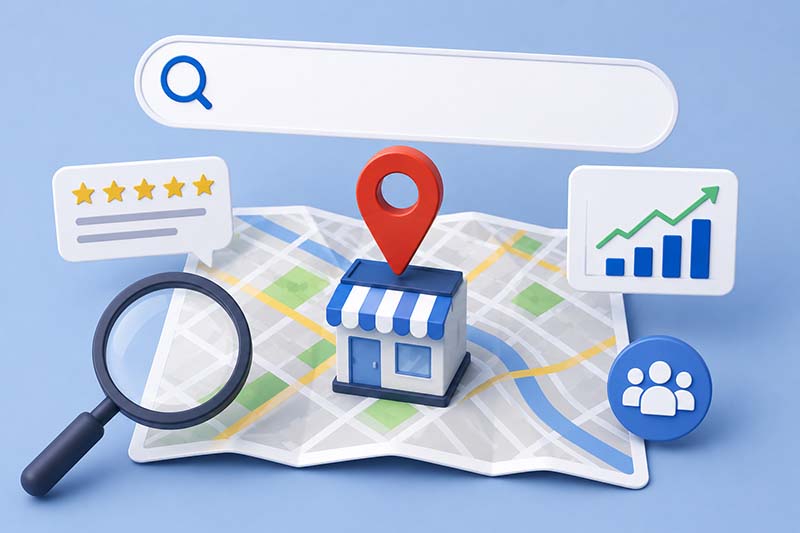
Have you ever used Google to find a local plumber or restaurant that delivers? If yes, there’s a good chance you called the first place that caught your eye. And that’s why you already know why you need to get listed on Google Maps.
In addition to being the best local exposure for your business, your Google Business Profile (GBP) is free to list.
What’s the catch?
There’s a difference between being listed and actually getting found. Fortunately, this guide will tell you exactly how to get your business on Google Maps, but also how to optimize your profile so people can find you.
Why Google Maps Matters for Local Businesses
Whether it’s local pizza delivery or an emergency plumbing problem, when people need something nearby, Google is their first stop. For any business with a physical location, getting seen in Google Maps is an integral part of your search engine optimization strategy.
The businesses that show up in someone’s area appear in Google Maps results. Those who appear in the top three results—called the Map Pack—get the majority of clicks and calls.
You can understand how that makes Google Maps prime real estate for local businesses, the place to list your business online for free. What’s even more uniquely valuable about Google Maps is that there’s zero cost to list there, too.
A well-optimized GBP is the highest-return visibility tool available. Add to this the fact that most people use their mobile phones for searches: No matter where they are, they’re ready to talk to you at the precise moment they need your product or service the most.
Why Your Business May Not Be Showing Up on Google Maps
Google Maps is full of businesses that exist but never get found. If you aren’t sure why people have trouble discovering you, start with these potential reasons:
- Your profile isn’t verified.
- Your profile has been suspended.
- Your address doesn’t meet Google’s requirements.
- You’re a service-area business showing a home address.
- Your business name contains added keywords.
- Your NAP (name, address, phone) is inconsistent across the web.
- You’re in a high-scrutiny industry.
- Your verification is stuck in processing.
- You have a duplicate listing.
- Your relevance signals are too weak to rank.
- Your competitors are simply outranking you.
How to Get Your Business on Google: 3 Steps
1

2

3
1. Claim or Create Your Google Business Profile
To add your business to Google Maps, you’ll start by creating and verifying a free Google Business Profile (GBP). The process differs depending on where your business currently stands in Google’s system.
If your business doesn’t exist in Google yet, go to business.google.com, sign in with a Google account, and click “Add your business to Google.” You’ll be prompted to enter your business name, category, and address or service area, then select a verification method to complete the process.
If your business already appears on Google Maps but hasn’t been claimed, search for your business name in Google Maps, select the listing, and choose to claim your Google Business Profile. From there the verification process is the same.
If someone else has already verified the profile—a former employee, past agency, or previous owner—you’ll need to request ownership through Google.
The current profile manager has a set number of days to respond. If they don’t, Google may grant you access.
2. Verify Your Listing
Verification methods currently include phone, email, and video recording of your location. Once verified, your business will typically appear on Google Maps within a few days, but the process can take a couple of weeks.
While you’re waiting on verification, your profile may be partially visible but unmanageable. If verification stalls or fails, ZipLocal can help navigate the process.
3. Update Your Profile Once It’s Verified
Check out our tips below on how to do this correctly.
How to Complete Your Profile the Right Way
A properly-completed profile lets Google know you’re active and ready to serve people in your area. Follow these steps to let Google—and your customers—know you’re ready to answer their calls.
Provide accurate information, including your:
- Business name
- Address or service area
- Phone number
- Business hours
- Website
Fill in all of the following details:
- Primary category: Choose only the most specific option customers would actually search. Relevant secondary categories are fine, but don’t generalize for volume—it won’t help.
- Business description: Cover what you do, who you serve, and what sets you apart.
- Services and products: Be thorough and accurate about your products, services, and prices, if applicable. These can act as keywords customers can search.
- Attributes: Check only what is relevant.
Upload real photos:
- Upload authentic photos of your location’s exterior, interior, team, and even work-in-progress.
- Avoid stock photos to build trust.
- Share new images regularly.
- Add all of your omnichannel social media links.
Keep details current:
- Post regular updates using the Updates feature.
- Respond to every review promptly—positive and negative.
- Add new details every time there’s something new to share.
Make it mobile-friendly:
- Optimize your description to be accurate and helpful.
- Make sure your office hours are up to date.
- Share recent, great-looking photos.
Learn about SEO services that help you get the most out of your listing.
How Long Does it Take to Appear in Google Maps?
Once approved, businesses can start appearing within a few days. If that time goes beyond a couple of weeks, you can submit a support ticket to find out the reason. A suspension reinstatement can stretch to several weeks.
How to Improve Your Google Maps Ranking
Having your verified profile on Google Maps isn’t a guarantee customers find you in their search. There are three main factors that matter the most to Google:
- Relevance: How well your profile matches a search
- Distance: How close you are to the searcher
- Prominence: People’s familiarity with your brand and reviews
To improve your ranking potential, be sure your category options are precise, services fully listed, description speaks directly to what customers are looking for. To get reviews on your Google Business Profile, always ask your satisfied customers to leave a review, and respond to all of your reviews regularly.
When people interact with your profile, share their experience, and recommend you to others, Google sees all of this as a signal of your authority. This translates into better Google Maps visibility.
Service-area businesses without a physical address need to provide accurate local service area data to ensure being able to reach people who contact you.
Interested in setting up local Google Ads? Learn how to leverage the power of Google Local Service Ads.
7 Common Google Maps Mistakes to Avoid
These are seven of the most common mistakes that catch business owners off guard:
- Keyword stuffing your business name: The business name should reflect your official company name and nothing else. Many believe that adding something like “best plumber Denver” to their name can help with visibility, but it’s actually a common suspension trigger to avoid.
- Using a virtual office or shared address: Google requires a physical location that is staffed during business hours listed. This means no virtual mailboxes or co-working spaces without matching Google’s strict criteria.
- Creating a new profile after you’ve been suspended: When a profile is suspended, your first reaction may be to jump back on the horse and create a new one from scratch. But, creating a duplicate profile while the current one is suspended compounds the problem and can make it even harder to get reinstated.
- Choosing broad or inaccurate categories: Choosing a large number of categories in hopes of reaching more people actually hurts your business, because it signals weak Google relevance and can reduce your visibility.
- Inconsistent NAP across the web: Google lacks confidence in businesses with different names, addresses, or phone numbers in different online directories and websites. Be consistent with all of your profile data.
- Neglecting reviews: Waiting a long time to respond to reviews or avoiding replying to negative reviews can directly affect your profile’s visibility. Likewise, you must follow Google’s strict review policy to avoid violating these terms.
- Going inactive: Google treats freshness as a visibility factor. Post new photos and other valuable updates to signal you’re active at your current location.
There’s a lot that goes into managing your Google profile successfully, which is why ZipLocal provides valuable services like profile maintenance, citation management, and resolutions to keep your presence healthy.
See what’s included in ZipLocal’s local SEO and GBP management services
How to Turn Google Maps Visibility Into More Calls
Visibility on Google Maps is vital for local businesses, but to generate calls, you need to ensure every possible element of your GBP is working for you. This means having consistent branding and messaging across all online channels, completing and maintaining every part of your GBP profile, and responding professionally to every review.
Our team at ZipLocal understands the effort it takes to set up and optimize your Google Business Profile and how to identify which elements may be holding you back. With 50+ years of marketing experience—all in-house and US-based—we know how to get your business found and keep it that way.
Talk to ZipLocal About Getting Found on Google Maps
Gaining visibility on Google Maps requires getting all the details in your profile accurate. Gaining visibility and converting that visibility into calls—that requires professional SEO beyond a one-time setup.
ZipLocal helps local businesses with the following for their GBP listing and maintenance:
- Citation and directory management
- Duplicate listing prevention
- Custom category and attribute optimization
- Monthly performance reporting
- Regular Google posts and updates
- Quarterly business reviews
- Multi-location support
- GBP optimization, even if you don’t have a website yet
See what’s included in our SEO services.
Give us a call to get your free personalized strategy, or contact us today.
Ready to Get Found on Google Maps?
Let our team help with your local listing.